Let Us Know How We Can Help. We Are Your Dedicated Solutions Provider.

Choosing the best Wireless Intercom For Elderly in 2026 requires more than comparing volume levels and prices. It requires understanding how older adults actually move through their homes. The World Health Organization reports that one in six people worldwide will be aged 60 or older by 2030. By 2050, this population is expected to reach 2.1 billion. These figures show why dependable home communication is becoming a practical safety tool, not a luxury.
A useful intercom should support clear two-way speech between a bedroom, kitchen, entrance, or caregiver’s room. Large buttons, strong microphones, simple pairing, and backup power can matter more than advanced applications. The U.S. Centers for Disease Control and Prevention reports that millions of older adults fall each year, with more than one in four adults aged 65 and above experiencing a fall annually. A quick voice connection may help someone request assistance before a minor incident becomes serious. However, an intercom cannot replace medical monitoring or emergency services. That distinction matters.
Industry research from AARP consistently shows that many older adults prefer remaining in their own homes as they age. Yet preferences do not always match technical confidence. Some devices promise effortless setup, but real homes contain thick walls, background television noise, and weak Wi-Fi corners. This guide examines those limitations honestly. It compares range, sound clarity, privacy controls, installation effort, and caregiver usability. No single model fits every household. The best choice is the one an older person can operate calmly, even at night, with one hand and without a complicated screen.
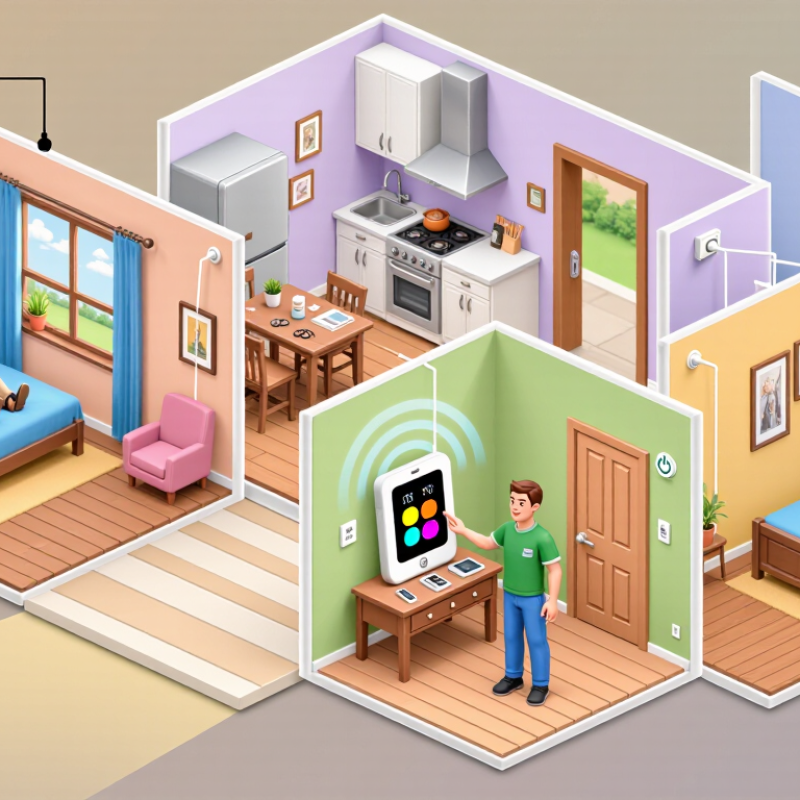
Wireless intercoms now support safer, calmer communication between older adults and caregivers. The World Health Organization reports that one in six people worldwide will be aged 60 or older by 2030. This demographic shift increases demand for simple home-care technology.
The best system is not always the one with the most features. Look for large controls, clear two-way audio, strong indoor coverage, and backup power. A caregiver should answer from the kitchen without shouting through a hallway. The older user should press one obvious button. Keep it simple.
The National Institute on Aging recommends reducing fall risks and improving home safety for older adults. An intercom can help someone request assistance before walking alone at night. However, it cannot replace regular check-ins or professional care. That limitation matters.
Privacy also deserves attention. Choose systems with encrypted communication, adjustable volume, and clear recording settings. Test the device through walls, near appliances, and during a power interruption.
A 2024 AARP technology survey found that many older adults value technology when it remains easy to use and genuinely useful. That sounds obvious, but many designs still feel like miniature control panels. I would question any product requiring repeated menus, tiny labels, or complicated setup. Caregivers should involve the older person during testing. Their daily experience may expose problems that a specification sheet misses.
Choosing the best wireless intercom for elderly users in 2026 requires more than strong signal range. A senior-friendly design should feel simple at 8 a.m. and during a stressful night. Large, raised buttons help users with weak eyesight or stiff fingers. A bright call light confirms that the device is working. Clear two-way audio matters, especially for people using hearing aids. Volume should be powerful but not harsh.
A useful intercom should work across bedrooms, hallways, and gardens without complicated setup. Test it through two closed doors before relying on it. Some walls reduce wireless performance more than expected. A long-lasting battery supports daily use, while a low-battery warning prevents silent failure. The base unit should also remain usable during charging. Simple voice controls may help some seniors, but physical buttons are often more dependable.
Safety features deserve careful attention. A private connection protects household conversations, and secure pairing reduces unwanted access. An emergency call button can be helpful, but it should not replace medical monitoring or personal support. Keep the intercom beside the bed, not on a distant shelf. Check the microphone from a seated position. No device is perfect. Older adults may still press the wrong button, miss a quiet alert, or forget to recharge it. Regular practice with a family member makes the system more reliable. A short weekly test can reveal problems before they become serious.
What Is the Best Wireless Intercom for Elderly in 2026?
Choosing a wireless intercom for an older adult depends on distance, home layout, and daily habits. Audio-only units are usually the easiest to operate. They suit bedrooms, kitchens, and front doors within a moderate indoor range. DECT-style systems often provide clearer voice communication than basic radio units. They may work through several rooms, but thick concrete walls can reduce performance. Walls matter. Always test the stated range inside the actual home.
Portable battery-powered intercoms help caregivers move between floors or outdoor areas. Their range can be useful across a yard, though obstacles and nearby electronics may weaken the signal. Video intercoms add visual reassurance, especially when checking a caller or confirming a fall. However, small screens and charging demands may frustrate some users. Keep it simple. Large buttons, loud adjustable audio, and clear indicator lights are more valuable than crowded features.
Wi-Fi models can connect distant rooms or separate buildings through a home network. They offer broader coverage, but they depend on stable internet and electricity. A power cut may stop communication unless the system includes backup power. Privacy settings should be checked carefully, and unnecessary recordings should remain disabled. In practical testing, place one unit where the older adult spends most time, then measure voice clarity during normal household noise. Test it. Range claims are often measured in open spaces, not through real walls.
Comparing wireless intercom types and practical communication ranges
DECT systems generally provide stable indoor coverage, while Wi-Fi intercoms can reach farther when connected to a well-positioned router. Dedicated RF systems often offer the longest direct range, but walls and interference can reduce performance. Bluetooth is suitable for short-distance communication within a room or nearby area. Actual range depends on building materials, obstacles, antenna design, and network conditions.
Choosing the best wireless intercom for an elderly person starts with daily safety needs, not flashy features. A reliable unit should provide clear two-way audio, strong indoor coverage, and a visible low-battery warning. Large buttons help users with weak eyesight or limited hand control. Keep it simple. During home testing, place one unit near the bed and another near the kitchen or entrance. Test it twice, including during a power interruption if backup power is available.
Privacy deserves equal attention. Choose equipment with encrypted communication, clear microphone indicators, and adjustable access settings. Avoid systems that collect unnecessary recordings or require constant cloud storage. Family members should explain who can listen and when. A private room should remain private. Wireless signals can also reach beyond the intended room, so review pairing settings carefully. My practical concern is that privacy instructions are often too technical for older users. A printed, large-font guide may work better than a phone application.
Accessibility includes sound quality, installation, and confidence. Look for adjustable volume, minimal buttons, tactile controls, and simple status lights. Mount controls at a reachable height, without loose cables or slippery surfaces. Caregivers should practice common situations, such as nighttime assistance or a missed call. Do not assume the first setup is perfect. Older adults may need different volume levels, positions, or response times after using the device for several days. Feedback from the user matters more than a specification sheet.
Choosing a wireless intercom starts with the older adult’s daily routine, not the longest advertised range. AARP’s 2024 Home and Community Preferences Survey found that 75% of adults aged 50 and older want to remain in their homes as long as possible. Think about where calls happen: beside a bed, near the front door, or in a garden. Check whether the unit supports clear two-way speech, simple controls, adjustable volume, and a visible call indicator. Small details matter. The World Health Organization projects that nearly 2.5 billion people will have some degree of hearing loss by 2050. That makes sound clarity and easy volume adjustment practical selection criteria, not luxury features.
Treat the stated wireless range as a starting point. Walls, floors, and household appliances can weaken a signal, so test the units from the actual rooms where they will be used. I would not rely on a range figure measured in open space; real homes are less predictable. Consider power, too: a rechargeable unit may be convenient, but only if someone can remember to charge it. A plug-in base can reduce that concern, though it limits placement. If calls need to reach a caregiver in another room, check how many handsets the system supports and whether missed calls are noticeable. Try the controls before buying. A button that feels obvious to one person may still be confusing at night.
| Need or Situation | Intercom Type to Consider | Useful Features to Check | Practical Considerations | Accessibility Check |
|---|---|---|---|---|
| Simple room-to-room conversations at home | Dedicated wireless audio intercom | Clear two-way audio, a large talk button, adjustable volume, and a visible power indicator | Usually works without a home internet connection. Radio coverage depends on the building layout and interference. | Choose controls that are easy to see and press, and test speech clarity from the rooms where it will be used. |
| Communication between rooms on different floors | Multi-unit wireless audio intercom | Several indoor stations, individual station calling, and adjustable ringer and speaker volume | Walls, floors, metal surfaces, and electrical equipment can affect wireless signal quality. Test coverage in the actual home. | Place stations within easy reach and check that call tones are noticeable without being uncomfortable. |
| Calling a family member or caregiver who is away from home | Internet-connected intercom or video calling device | Simple calling interface, automatic reconnection, clear audio, and support for the household’s Wi-Fi network | Remote communication generally requires internet access and compatible devices or services. A power or internet outage may interrupt calls. | Set up contacts and test calls in advance; look for a straightforward screen and minimal steps to answer. |
| Seeing who is at the entrance before answering | Wireless video door intercom | Door camera, indoor display or supported mobile viewing, night visibility, and two-way audio | Check the camera’s view, door-to-indoor signal, power arrangements, and whether remote viewing depends on Wi-Fi. | Make sure the display is easy to read and that the person can answer without needing to reach the door. |
| Frequent check-ins between a resident and a caregiver at home | Intercom with hands-free calling or room stations | Hands-free answering, clear two-way sound, easy-to-find call controls, and adjustable volume | Hands-free features can reduce the need to hold a handset, but performance and call behavior vary by model. | Confirm that answering and ending a call are simple, and that the speaker can be heard from a normal seated position. |
| Use during power or internet interruptions | Battery-powered or rechargeable local wireless intercom | Battery status indicator, charging method that is easy to manage, and operation that does not rely on Wi-Fi | Battery life varies with use and settings. Check how charging works and whether the device remains usable while charging. | Choose a charging routine the user or caregiver can maintain, and keep a charged unit available if continuous access matters. |
Selection tip: No single wireless intercom is best for every older adult. Compare the communication distance needed, hearing and vision needs, ease of operation, power requirements, and whether calls must work without internet. Wireless range and battery life vary by device and home, so test the system in its intended locations before relying on it.